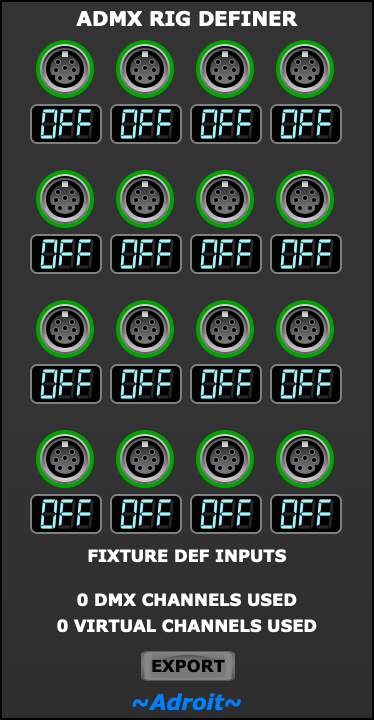
This module, along with one or more ADMX Fixture modules, lets you define a lighting rig in ADMX.
See the ADMX page for an introduction to the concepts.
ADMX is intended for small to medium size rigs using a single DMX universe and up to 16 independently addresssable fixtures such as PAR cans and moving heads. Your rig could use more that 16 physical fixtures but only if some of them share DMX addresses (leading to some fixtures doing the same thing as others).
Support for multiple DMX universes (and pixel addressable fixtures) might be developed at some point in the future.
The most basic lighting rig consists of a single fixture. To be usable in ADMX we need to describe what the fixture’s capabilities are and decide which ADMX channel we are going to use to control it. The minimal Voltage Modular patch for this consists of an ADMX Fixture module and an ADMX Rig Definer module.
The patch shown below defines a rig with a single RGBW PAR can in 4 channel mode.
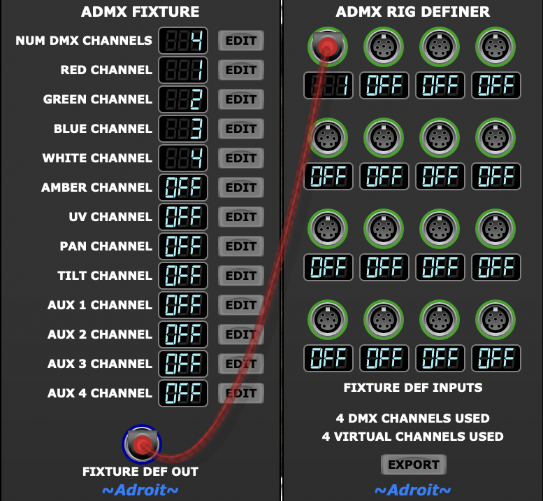
The ADMX Fixture module’s default settings will very probably work for this, but if say the fixture maps white to channel 1, red to 2, green to 3 and blue to 4 instead, then it’s simply a matter of clicking on the EDIT buttons and selecting the correct channels from the menus. As always you should refer to the documentation that comes with your fixture for the required information.
If we have several fixtures of the same type then we don’t need extra ADMX Fixture modules. We just patch more cables to indicate multiple instances of the same type. This is shown below for a rig consisting of two RGBW PAR cans of the same type…
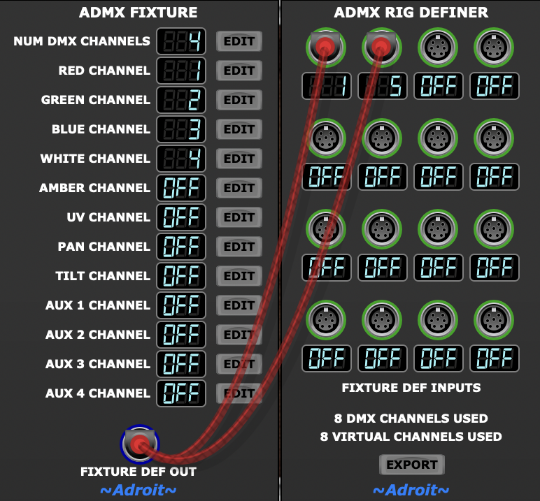
Although the module maps addressed in a left-right, top-bottom order, there’s no need to use the 16 FIXTURE DEF INPUTS in any particular order. You can use whichever sockets you like. Perhaps the most useful way to pick which sockets to use is to treat the 4 x 4 array as a rough map of the physical layout of the fixtures on stage.
Once a rig definition is complete, a click on the ADMX Rig Definer’s EXPORT button will automatically generate a QLC+ file called ADMX.qxw in your home directory and save the information to a Voltage Modular database behind the scenes.
Once an export is done the ADMX Fixture and ADMX Rig Definer modules are no longer required, although you’ll still want to save the setup somewhere. It’s up to you whether you keep your rig definition in a separate Voltage Modular preset file or you keep the modules as part of a preset that actually uses the rig.
To control a lighting rig (rather than define it) you need to use the ADMX Output module. The mechanics of controlling a rig are described in the ADMX Output module’s documentation.
Differences between Physical and Virtual Channels
As ADMX only uses a single DMX universe, the maximum number of DMX channels available is 512 (hence the standard being caled DMX512). Some DMX channels may be reserved but not actually used. For instance a particular fixture might be in 8 channel mode so 8 DMX channels are mapped to the fixture but we might only be interested in controlling 5 of these channels. So in this case the fixture would use 8 physical channels but only 5 virtual channels.
Virtual channels in ADMX use MIDI CC so there is an additional limitation of 128 virtual channels on top of the limit of 512 physical channels. In practice these virtual channels can be unevenly distributed between different types of fixture – with PAR cans generally only using between 4 and 6 virtual channels. However a sophisticated moving head might use up to 12 virtual channels so a rig using 16 moving heads could breach the 128 limit. Therefore the ADMX Rig Definer module displays a tally of the number of physical and virtual channels used and an error message will pop up if you click on the EXPORT button if either limit is exceeded. Although it’s very unlikely that you will ever encounter these limitations when using a small to medium sized rig.