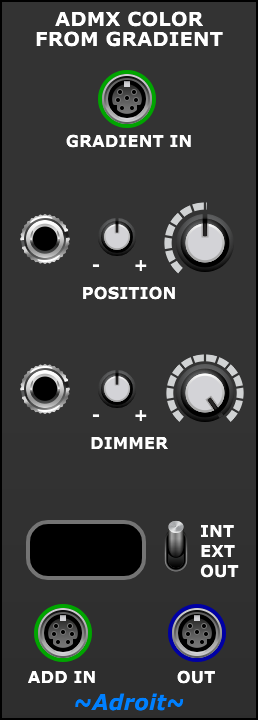
This module is part of the ADMX system. It extracts a color from a certain position in a color gradient generated by an ADMX Gradient module.
It provides an alternative source of color information to the ADMX Color module.
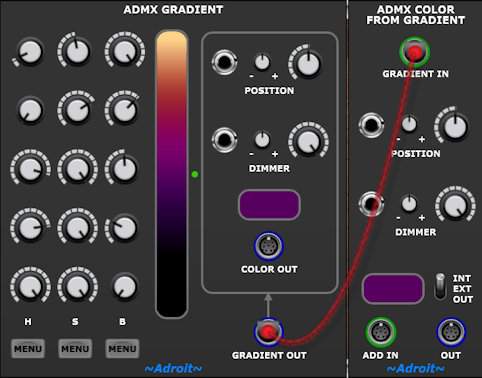
To function properly the GRADIENT IN socket should be fed a signal from the GRADIENT OUT socket of an ADMX Gradient module.
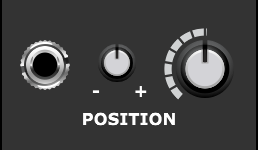
Position
The position section controls which part of a gradient a color is extracted from and features a large knob setting a base value, an attenuverter and an external modulation input.
Dimmer
The Dimmer section controls the Brightness channel of the output. The large knob sets a base value while the small knob acts as an attenuverter for any CV connected to the socket on the left.
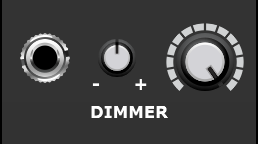
If you don’t need the dimmer functionality then just leave the large knob at its default fully CW setting.
Preview and ADD IN
At the bottom of the module there’s a color preview that shows either the internal color, the color of an external ADMX signal (if one is connected to the ADD IN socket) or the final output color depending on the setting of the INT / EXT / OUT switch.
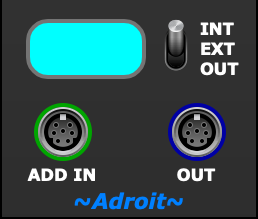
If nothing is connected to the ADD IN socket then the output color is exactly the same as the internal color.
If an ADMX signal is connected to the ADD IN socket then the output is a mix of the internal and external colors. This optional facility is useful in some patches as it saves us having to use a separate mixing module when we need to combine colors.
This mechanism is exactly the same as used by the ADMX Color module and it’s possible to chain a combination of ADMX Color and ADMX Color from Gradient modules together in order to mix their outputs, as shown below.
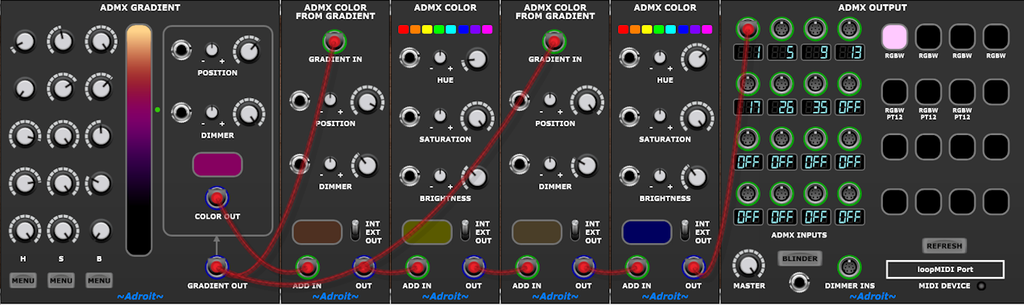
This example is simplified to illustrate using the ADD IN sockets to create a mixing chain. A more practical patch would include modulation that affected the colors.